Stop using OneDrive for team collaboration. Seriously.
Here's the truth in one line: OneDrive is for one. SharePoint is for sharing. If you've been emailing links, juggling permissions, or asking "Who has the latest version?", you're doing it wrong. OneDrive is your personal workspace, perfect for drafts and files only you need. SharePoint, on the other hand, is built for teams: centralised, organised, and ready for co-authoring without chaos. Embrace SharePoint. Your files stop fighting you, and start helping your team actually work together.
OneDrive: Great for you, not your team
Think of OneDrive like your personal digital filing cabinet. It's perfect for:
- Storing personal drafts or work-in-progress files
- Backing up documents to access anywhere
- Quickly accessing your files across devices
But when it comes to sharing and collaborating, OneDrive has limits:
- Links can break or require extra permissions
- Version control gets messy when multiple people edit the same document
- Notifications and updates are inconsistent, so changes can be missed
In short: OneDrive is for one, not for sharing.
SharePoint: Built for collaboration
SharePoint isn't just cloud storage, it's a collaboration hub. With SharePoint, your team gets:
- Centralised access: No more scattered files or lost links
- Seamless co-authoring: Multiple people can edit a document simultaneously
- Automatic version control: Track every change without confusion
- Integration with Teams and Microsoft 365: Workflows, notifications, and automation keep collaboration smooth
When files live in SharePoint, your team stops juggling attachments and starts working together efficiently.
Enhance your workflows with David Simpson Apps
Discover powerful apps and integrations for monday.com, Atlassian, and Microsoft 365. Streamline processes, embed analytics, and boost collaboration.
Explore appsThe simple rule
- OneDrive = your personal workspace
- SharePoint = the team's shared workspace
Keep this rule in mind, and your team will avoid confusion, improve productivity, and finally leverage Microsoft 365 the way it was designed.
David Simpson Apps: Making SharePoint collaboration easy on monday.com
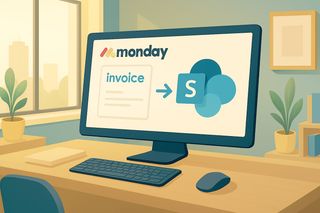
If you want to take this collaboration paradigm to the next level, David Simpson Apps' Microsoft 365 SharePoint app for monday.com is built with this principle in mind.
The app ensures all file sharing is done directly through SharePoint, not OneDrive. That means:
- Every team file lives in a centralised, permission-controlled space
- Co-authoring, version control, and notifications work seamlessly
- monday.com tasks and workflows integrate directly with SharePoint documents
In other words, it enforces the "OneDrive is for one, SharePoint is for sharing" paradigm, so your team doesn't accidentally fall back into old, error-prone habits. Collaboration stays smooth, predictable, and entirely within Microsoft 365 best practices.
Bottom line: Stop trying to share from OneDrive. Move your collaborative files to SharePoint, and if you're using monday.com, David Simpson Apps' SharePoint integration makes it effortless. Your team will finally work together the way it was meant to.
Automate your workflows with David Simpson Apps
Discover powerful apps and integrations for monday.com, Microsoft 365 and more. Streamline processes, embed analytics, and boost collaboration.
View our apps on the monday marketplace