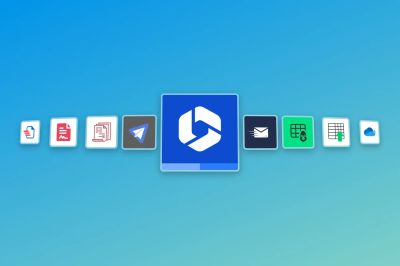
Tired of juggling multiple monday.com apps? The Microsoft 365 SharePoint integration handles SharePoint sync, PDF export, and embedded files in one app.
Spoiler alert: If you're using both Microsoft 365 and monday.com, this might be the only app you'll need.
The monday.com marketplace: Great apps, specific use cases
We're big fans of the monday.com marketplace. It's full of purpose-built tools that excel at doing one thing well:
Generating Word documents or PDFs from board items? You've got Docugen, Docs Builder, and DocExport PDF Generator.
Need to send HTML emails? Try Easymails or Supermail.
Managing spreadsheets?Update with Excel/CSV and Spreadsheet Gorilla can help.
Syncing with Microsoft 365 files? OneDrive Sync is a popular pick.
Syncing events with personal or group calendars in Outlook? There are apps available.
Importing emails from Outlook into CRM activities? I suppose you could use make.com or Zapier, but we can show you an easier way.
But what if you don't want the overhead of managing several different apps just to stay productive?
One app. Unified power.
That's where the Microsoft 365 SharePoint integration for monday.com comes in. Built by David Simpson Apps, this all-in-one solution gives you the power of multiple apps in a single, seamless experience, tightly integrated with the tools you already use every day – Microsoft 365 and monday.com.
Here’s how it compares:
Feature
Export to Word & PDF
✅
✅
✅
✅
❌
❌
❌
❌
❌
❌
❌
Export to HTML email
✅
❌
❌
❌
✅
✅
❌
❌
❌
❌
❌
Export to Excel
✅
❌
❌
❌
❌
❌
✅
❌
❌
❌
❌
Import from Excel
✅
❌
❌
❌
❌
❌
❌
✅
❌
❌
❌
File sync with Microsoft 365
✅
❌
❌
❌
❌
❌
❌
❌
✅
❌
❌
Embed Microsoft Power Apps
✅
❌
❌
❌
❌
❌
❌
❌
❌
✅
❌
Sync items with Outlook calendar events
✅
❌
❌
❌
❌
❌
❌
❌
❌
❌
✅
Sync Outlook emails with monday CRM activities
✅
❌
❌
❌
❌
❌
❌
❌
❌
❌
❌
Create SharePoint groups & sites
✅
❌
❌
❌
❌
❌
❌
❌
❌
❌
❌
File sync to SharePoint
✅
❌
❌
❌
❌
❌
❌
❌
❌
❌
❌
View & interact with Microsoft 365 files & folders within monday.com
✅
❌
❌
❌
❌
❌
❌
❌
❌
❌
❌
File management for connected boards
✅
❌
❌
❌
❌
❌
❌
❌
❌
❌
❌
Support for sidekick AI
✅
❌
❌
❌
❌
✅
❌
❌
❌
❌
✅
Key Advantages
✅Cost efficiency – Why pay for multiple subscriptions when one app does it all?
✅Simplified workflow – No need to switch between apps; everything integrates into monday.com.
✅Seamless Microsoft 365 integration – Leverage your existing SharePoint, OneDrive, and Office tools.
✅Time Savings – Reduce manual processes with automation for document generation, emails, and file syncs.
✅User-based subscriptions – We offer unlimited automations on every plan, so your costs are fixed and known in advance. You won't run out of automation credits.
What our customers say
Christopher Thompson
Managing Director, Chadley Group
The app has resulted in a 50% reduction in administrative workload.
Support has been phenomenal, accelerating and complementing monday.com as a platform.
Fantastic product. Dave went above and beyond to get it exactly as we wanted it.
Steve Estabrooks
Managing Director, Byond Group
Love this app. It has saved us so much manual input. I would highly recommend this app for anyone who uses SharePoint for file storage.
David is also very helpful and has helped us to get the most from this app as we improve our workflows.
CB
HaCo-MPU
The best app in the marketplace with outstanding support! Thank you, David, for this great app.
Juan Pyco
Managing Director and Founder at SAVVY
Due to its benefits, low cost, and continuous delivery of new features, we continue to find Microsoft 365 SharePoint & Outlook integration – for monday.com to be baseline configuration across all of our PMO solutions.
If your team uses Microsoft 365 and monday.com, don't waste time juggling apps. Simplify everything with Microsoft 365 SharePoint • Automated & Embed – the ultimate integration designed to keep your work moving, your data connected, and your team in sync.
An IT project manager explains how automated SharePoint folder creation across projects, epics and tasks in monday.com eliminated version conflicts and file-hunting for his team.