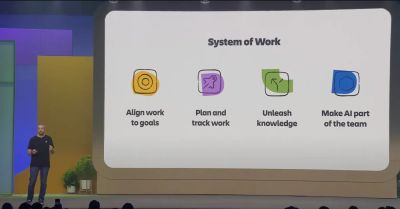
The Team '26 Europe founder keynote in Amsterdam was built around a simple idea: your business knows better. AI models keep improving, but what makes them useful inside a company is that company's own knowledge, people and history. Atlassian set out how its platform aims to supply that knowledge, how it wants people and agents to work together, and how leaders can keep track of an organisation that is suddenly moving much faster.
Watch the full keynote on YouTube.
Three questions every leader is asking
After meeting hundreds of customers across dozens of countries, Atlassian described the mood among business leaders as equal parts optimism and uncertainty. The questions it hears most often fall into three groups:
- Models: which one is best, and which ones does Atlassian use?
- People and agents: will agents replace my teams, and how do I get them all working together?
- Progress: things are moving so quickly, so how do I actually know what is going on in my organisation?
The keynote answered each with a principle:
- It matters less which model you choose than whether it has the right context.
- You don't need to replace people with agents. You need the best way for them to collaborate.
- New tools can give you the confidence to move at speed.
Models are the engine, context is the fuel
Atlassian is enthusiastic about progress in AI models, but it doesn't believe a single model will win. It expects a steady stream of improvements, week after week, and intends to use the best models available at any moment.
The analogy offered was that models are the engine and context is the fuel. However capable a model becomes, if it doesn't know why you made a decision in 2022, it can't help you win in 2026.
For Atlassian customers, that context already sits in the Teamwork Graph, described as the institutional memory of a company. It is a living web that records not only what happened, but who was involved, why the call was made and what effect it had.
Six types of context
The Teamwork Graph brings together six kinds of context:
| Context | What it covers |
|---|---|
| Knowledge | What your company knows, in documents, spreadsheets and presentations |
| Work | What your company is doing, across projects, epics, initiatives and goals |
| People | Who your company is |
| Communications | Everything your company is saying |
| Code | What your company is building |
| Assets | The physical things your company owns |
The reasoning for covering all six is that AI working in a silo delivers only a fraction of its potential value. The real leverage comes when every type of context is connected.
A graph that works ahead of you
The Teamwork Graph doesn't just record events. It keeps indexing and making connections in the background, running inference before agents even ask a question. Doing that work up front makes queries fast and cheap, and the graph keeps learning through self-reinforcing loops.
Atlassian was clear that it isn't asking customers to drop their existing AI tools. Coding assistants, chat tools and other agent harnesses can all connect to the same context, and they should run faster, smarter and much more cheaply as a result. The advice: worry less about which model you choose and bet on compounding context.
Agents join teams rather than replace them
Helping teams work better together has been Atlassian's mission for decades, and it has invested heavily in open, multi-vendor, multiplayer teamwork. Alongside the Teamwork Graph, that means an enterprise platform closely connected to the wider technology ecosystem.
Across its customer base, Atlassian is seeing agents join teams rather than replace people. Agents are triaging service incidents, tracking company goals, documenting big decisions and shipping a great deal of code. As work speeds up, the company argued, the experience of collaborating will matter more and more.
Introducing AMP, the agentic multiplayer protocol
To support that shift, Atlassian introduced AMP, its agentic multiplayer protocol. AMP is a set of human-centred experiences, technologies and patterns that shape how people and agents collaborate, both on and off the Atlassian platform. It has three connected layers.
Real-time and asynchronous collaboration
New interface patterns show agents working in real time, track the work they've completed and highlight when they need input. People can work alongside agents in whatever way, and at whatever time, suits them.
Identity and shared presence
Whatever mix of people and agents makes up a team, it should always be clear who is who. Agent identity is shown throughout Atlassian's products, with clear attribution and accountability that is easy to follow.
Context and governance
Agent governance applies on and off the Atlassian platform, with the right controls and tightly scoped permissions. People can always start work, handle exceptions and use their own judgement where it matters.
The aim isn't to swap people for agents but to create a new system of collaboration. Because AMP runs throughout the Atlassian platform, its experiences appeared in many of the keynote demos.
Confidence at speed
The third theme dealt with the pace of change. When every person and every agent speeds up, it isn't just one person producing more. Many teams increase their output at once, creating dozens of learning loops running in parallel. Without a way to connect it all, that speed can go from exciting to disorienting.
Atlassian argued that confidence comes from seeing more than just what is happening. It means having the insight to understand events, the ability to act on them, and visibility of how a change made by an agent ripples through the organisation. Above all, it means catching exceptions straight away and having ways to deal with the unexpected.
At each level, that looks like:
- Individuals start the day knowing what lies ahead and move between tools without losing their place
- Teams get a wider view of work, seeing where related projects are flowing well and where bottlenecks are forming
- Organisations get a broad picture of how strategy connects to execution, giving leaders what they need to provide clarity and manage risk
All of this depends on enterprise trust. Governance, permissions and features such as inference residency are intended to keep AI use compliant, private and as secure as the data it runs on.
A central nervous system for the organisation
Taken together, context, collaboration and confidence were presented as an organisation's central nervous system. The keynote ended this section with a local illustration: in Amsterdam, when a bike is hurtling towards you at 30 km/h, it is not the moment to schedule a meeting or run a database query. You trust your instincts and react in milliseconds. In the AI era, organisations need their own nervous system so they can react just as quickly.
The new Rovo desktop app
The first demo put AMP's core belief into practice: new technology only matters if it feels natural and keeps you in your flow. Atlassian has rebuilt the Rovo desktop experience from the ground up with craft and speed in mind.
The new Rovo desktop app is a native application that brings Rovo Search, Rovo Chat and the Teamwork Graph onto the desktop, next to every other app you use.
Faster search across every tool
Search results are now 40% faster than a year ago, even though the Teamwork Graph has grown considerably. Results from Slack, Google Drive, Confluence and Loom appear side by side, with smart answers at the top and quick filters by source. A new Zoom connector, for example, makes it easy to find meeting transcripts.
Compact mode and drag and drop
A single keyboard shortcut opens a compact Rovo window over any app on the desktop. It lists your recent files, because the Teamwork Graph knows what you've been working on. In the demo, a customer presentation was copied or dragged straight from Rovo into an email, with no switching between apps and no hunting for links.
Adding any window as context
Clicking and holding on any open window adds it as context for a Rovo query. In the demo, an email about an upcoming customer meeting was added this way, followed by the simple prompt "help me prepare for this meeting". Rovo worked out which customer the meeting was with, then pulled together the customer's expectations, the features already delivered, open promises and a visual summary of feedback themes from Google Drive, Confluence and Salesforce.
Pinned, scheduled and shared chats
Several other Rovo features were announced:
- Pinned chats keep frequent searches and conversations within easy reach
- Agent status shows which agents need input and what they started from
- Scheduled chats take care of repetitive work, such as a daily to-do list or a weekly summary
- Shared chats can be shared with specific people, and access updates automatically when the link is copied, just like a Confluence page
The same experience is coming to every Rovo client: the web, embedded mode, the command line, and a new Rovo mobile app that Atlassian described as one of the best designs it has ever produced.
A Teamwork Graph that keeps growing
The second section looked at the Teamwork Graph in more detail, starting with an analogy. An engineer who has worked at a company for ten years is far more productive than on their first day. The same is true of AI: it becomes much more effective once it understands your company.
Six months earlier, the Teamwork Graph held 150 billion objects and relationships. It now holds more than 250 billion. Atlassian stressed, though, that breadth of understanding matters as much as size.
More connectors and easier setup
Context extends well beyond Atlassian's own tools to the dozens of other applications a typical company uses. In the last six months Atlassian has:
- Added more than 20 new connectors, including Zoom and Gong
- Made more than 65 improvements to existing connectors, such as custom fields in Salesforce, issues in GitHub and meeting transcripts in Microsoft Teams
- Made it possible for employees to add a connector from chat or the command line, wherever they are working
- Given administrators deeper enterprise controls for managing connectors in the admin app
Data context
A new seventh context type, data, brings live metadata from structured business data into the Teamwork Graph from more than 20 sources, including Databricks, Snowflake, Tableau and BigQuery.
For example, if you're writing a project brief in Confluence and need customer usage figures, you no longer have to open a separate database. Mention Rovo, and it queries the live data, builds an interactive chart and embeds it in the page. People and agents can then work with the data alongside the project's goals and decisions.
Source code context now generally available
If data context tells you what is happening in the business, code context explains what your teams are building. The Teamwork Graph already understood repositories, branches and pull requests. Source code context is now generally available, adding a full semantic understanding of functions, symbols and classes.
The demo started from a Jira work item and asked Rovo to find screens that wouldn't work in dark mode. Atlassian's own codebase runs to billions of lines across thousands of repositories, with more than two decades of commit history in several programming languages, so most of the relevant code isn't labelled "dark mode" at all.
Rovo searched repositories across Bitbucket Cloud, Bitbucket Data Center, GitHub and GitHub Enterprise Server, with GitLab support due the following month. Its results included:
- Screens in Loom where background colours were hard-coded to white, found because the system understood what the code does rather than relying on names
- Suggested bug fixes that moved to design tokens, drawing on the Atlassian Design System documentation in Confluence
- User feedback from research sessions in Google Drive and from a recorded customer call via the new Gong connector
Code context isn't only for engineers. Non-technical staff can ask whether a discussed feature has been checked in yet, without interrupting an engineer.
A dedicated code search app
For engineers, Atlassian is also launching a code search app, available from the app switcher. It uses the same Teamwork Graph and code context, but its interface is designed for engineers, with results from every repository side by side and filters by file extension and path. Atlassian has used it internally for months for deep exploration of large codebases, and it will be included in the Atlassian platform.
Because source code is part of the Teamwork Graph, code results also appear in search across Jira and Confluence, and through the MCP server, the command line and third-party agent harnesses. During a six-month early access programme, customers including Atlassian Williams Racing reported much lower token costs and faster queries. If your repositories are already connected to Jira, turning on code context takes one click in the admin hub.
Agents and agent sessions in the Teamwork Graph
Agents are joining teams much as human colleagues do, so they need the same treatment: a way to identify them, manage their permissions and see their work. People were already part of the Teamwork Graph. Now agents are too, so work can be attributed to them.
A great deal of work also happens in conversations with agents, and until now that knowledge disappeared when a chat or terminal session was closed. Agent sessions are now being added to the Teamwork Graph as part of communications context.
These sessions are a rich source of information, capturing key decisions, linked documents and what was learned through the back and forth. Atlassian indexes them both by keyword and by meaning, in the same way as source code. It then extracts the essentials of each session and stores them as reusable session memory. The next person or agent to pick up work in a similar area builds on what was already learned. Atlassian called this the definition of compounding context. It also saves tokens and works across every agent harness.
Rovo Work: a computer for every session
Atlassian also introduced Rovo Work, which gives every Rovo session a complete computer, ready in about 60 milliseconds. That lets Rovo take on a new class of problems: tasks with many steps, tasks that run for a long time, or tasks that involve writing code or creating new skills.
In the demo, a long and fairly dry company expense policy in Confluence became an interactive quiz. The request was dictated using Rovo's voice input: three questions based on the page, written to be fun, with a surprise at the end. Key points included:
- Rovo Work runs in a secure cloud sandbox, so you can close your laptop while it works. Some tasks take tens of minutes or even hours
- The sandbox runs on the Atlassian platform, with administrator control over network access and granular permissions
- It uses the same Teamwork Graph, runs as the user who started it, inherits their permissions and supports enterprise features such as data residency
- Progress can be checked from the new Rovo mobile app, which shows when an agent needs input. In the demo, it asked which brand guidelines to follow
- Rovo proposes a plan, which you can accept or change before it builds anything
The finished quiz was styled to brand and ended with a scratch card revealing new Atlassian team emojis. Other suggested uses include building calculators and prototypes and carrying out deep research.
The artifacts app
People are producing a huge range of AI-generated output, such as interactive HTML pages, prototypes and documents, spread across many AI tools. Much of it ends up shared in a chat or an email, where colleagues can't find it, and sensitive work may be shared without the right permissions. Atlassian called that a security nightmare.
To fix this, artifacts are now a new type of object in the Teamwork Graph, and the new artifacts app lets teams find, share, secure and reuse them. In the demos:
- The expense quiz built in Rovo Work appeared in the app automatically
- A 3D model of Atlassian Central, the company's new building, made with OpenAI's Codex, was uploaded straight from ChatGPT through the new MCP server. It included street-level and rooftop views, and a dark mode
- A Markdown file was dragged in from the desktop, given permissions and displayed neatly
- Each artifact shows an icon for the AI tool that produced it, which reflects that most customers use several AI tools
Artifacts use the same sharing dialogue as Confluence. Marking one as open makes it searchable across the organisation from any search box on the platform, with a filter for artifacts only.
Artifacts can also be embedded anywhere: in a Confluence page, a Jira work item, a Confluence whiteboard or a project. Embedded artifacts are live, so changes to the original appear wherever it is embedded. Because they are part of the Teamwork Graph, any links they contain create further connections that agents can use, for example through MCP.
Built on Forge
The whole artifacts app, including its interface, Teamwork Graph access, search, smart links and MCP tools, was built as a single native Forge app. Atlassian presented this as evidence of how far its extensibility platform has come, and said Forge let it build the app quickly.
Collaboration in practice with AMP
The final section of the keynote returned to collaboration. Context is powerful, but on its own it doesn't get work done. People, increasingly working with AI, are still the ones who achieve great things, which is why Atlassian is investing so heavily in AMP.
A rebuilt Atlassian MCP server
Atlassian announced an all-new MCP server, rebuilt from the ground up so that any agent can take part in these collaborative loops:
- More tools: up from a few dozen in the first version to around 220
- More context: access to Teamwork Graph context and to almost every Atlassian app across all its collections
- Extensibility: support for custom Forge apps and the thousands of apps on the Atlassian Marketplace, with custom Rovo agents to follow
- Governance: access controls through Atlassian Guard
- Efficiency: up to 25% fewer tokens used with SaaS apps
The existing server is already used by millions of people every month. Atlassian built the new version with partners including Anthropic, and said it is one of the most used MCP servers in the world.
Agents that understand unstructured content
The first MCP demo featured a team designing a Dutch houseboat rental website in Figma Make, with their ideas laid out on an unstructured Confluence whiteboard. The earlier MCP server couldn't interpret that kind of content.
Without being told where the whiteboard was, the Figma Make agent found it through the Teamwork Graph. It read the layout options and images, picked out the immersive hero image, fact banner, rental listings and footer, and rebuilt the homepage to match. AMP working well beyond Atlassian's own platform depends on context being securely available to other agents like this.
The new Loom desktop app: recording for agents
For collaboration that goes back and forth with an agent, Atlassian announced the new Loom desktop app for Mac. Loom powers video within AMP and is presented as the most natural way to collaborate with agents.
As well as recording your screen, a meeting or yourself, you can now record a Loom for an agent. Loom doesn't just capture the screen. It understands what you say, where you point and which elements you select, and turns all of that into a prompt the agent can act on.
In the demo, a short recording over the houseboat website asked for three changes:
- Reduce the height of the hero image by about 25%
- Make the booking button more prominent, turn it red and relabel it "Make a booking"
- Add icons to the footer, using icons from the design system documented in Confluence
Loom turned the recording into a detailed agent prompt, complete with screenshots, acceptance criteria, highlighted elements and a link to the Confluence page. It can be sent to your agent of choice, just as you'd share it with a colleague. The Figma Make agent picked it up and made all three changes, including fetching the icons from Confluence.
The new Loom desktop app also brings a redesigned recording interface, a live microphone level indicator, video permissions you can change in place, and new backgrounds.
Planner: real-time collaboration between people and agents
For real-time collaboration, Atlassian showed planner, a new feature in the Teamwork Collection. In planner, people and agents work together live to turn ideas into plans for complex technical problems.
The demo followed a team adding a new payment option to a banking app, a critical change that touches the whole stack and needs many teams to work together. Starting from the team's Jira space, the presenter asked the planner agent to create a technical plan for launching the payment option in Europe.
- Plans can use Atlassian's ready-made blueprints, standards such as OpenSpec, or a company's own specification templates
- For quick changes, the Jira agent for Microsoft Teams and Slack, launched earlier in the year, goes straight from a chat to action
- Planner can be started from Jira, Confluence or anywhere in the Teamwork Collection
Without being told where to look, the agent drew on code context from GitHub and documents in Google Drive. It produced three specifications: a design spec, feature requirements and a technical spec. It found the goal the work related to, the relevant Figma design and a video walkthrough recorded by the designer.
At the bottom of the plan, the agent added a readiness assessment. It judged that the spec needed more work and suggested what to discuss with the team to close the gaps.
Multiplayer planning instead of local files
Atlassian contrasted this with the common habit of planning in a local agent harness. A plan written that way can't be shared, and the rest of the team and their agents can't work on it together. Markdown files checked in and out of a repository don't come close to offering the same real-time collaboration.
In the demo, colleagues joined the plan from backstage, and presence indicators showed each person and the planner agent at work. Because the plan is a native Confluence page, it can be shared from Jira and stays in sync in Confluence in real time.
AMP also works with the agents you bring yourself:
- The Figma agent was mentioned in the page like any teammate and asked to embed the main design. Its thinking appeared in real time, its presence showed at the top of the page and its cursor was visible as it co-authored the page
- A colleague backstage was working on the same page through ChatGPT in a command-line session
- A side panel showed every person and agent that had contributed, and which agents had accessed the page as context and who had called them
- Section-level history showed who edited what. One section, for example, was marked as edited by ChatGPT together with a named colleague
Atlassian described this as the reason AMP matters at enterprise scale: full identity, real-time presence and transparency.
Once the team and its agents had refined the specs, the agent raised its readiness rating to high. A single action then broke the specs down into work items in the team's Jira backlog. Some items were assigned to agents straight away, and teams using agentic automation saw those agents pick up the work immediately, with everything tracked in one place.
A closer partnership with OpenAI
Atlassian wants teams to choose their own agents and harnesses, and every integration benefits from AMP. It announced a closer partnership with OpenAI. One early result is that you'll soon be able to assign Jira work items directly to Codex cloud agents. Atlassian said it would keep working with partners like OpenAI so teams can use the agents they want, where they want, locally or in the cloud.
What AMP brings together
The collaboration section was summed up in three points:
- Shared experiences for people and agents, whether asynchronous, as with Loom's record for agent, or in real time, as with co-authoring in planner
- Transparent identities, from live agent cursors and avatar stacks to history showing who contributed across the system of work
- Open context, with the new Atlassian MCP server connecting hundreds of tools across your stack to the Teamwork Graph, and working with whichever agent harness you choose
Loom AI overlays
To round off the section, Atlassian demonstrated AI overlays in the new Loom. AI overlays act like an agent creating alongside you, adding motion graphics to a recording to get your message across more effectively. You can adjust options such as colours, or simply switch them on.
The demo played the same simple talking-head recording twice: once as recorded, and once with AI overlays. The script recapped Atlassian's platform history. Cloud brought teams together online in 2011, and enterprise data residency made collaboration trusted at scale in 2020. Today, AMP builds on that foundation of context. With overlays switched on, the video added graphics highlighting figures from the Teamwork Graph:
- 250 billion live connections in the Teamwork Graph
- More than 11 million AMP interactions between teams and agents every month
- More than 15 million MCP tool calls every day
The graphics were generated entirely by Loom AI from the source video and its transcript, using Rovo and the Teamwork Graph. No scripting, design or coding was needed. The video's closing line captured the theme: when your tools, agents and people share the same context, AI stops being a solo assistant and becomes a true teammate. Working with AI isn't single player any more. It's multiplayer.
Confidence in practice
Agents and AI are increasing the amount of work happening in every organisation, and the final section of the keynote addressed how to stay calm and confident amid that acceleration.
Atlassian uses these capabilities itself. Agents are already central to how its 13,000 employees, including 6,000 engineers, get work done, with more than 11 million agent invocations on the Atlassian platform each month. Confidence was explored at three levels: individuals, teams and the whole organisation.
Confidence for individuals: interactive PR reviews with Loom
Most code is now written by AI. Last month, 77% of all pull requests at Atlassian were generated entirely by agents. That speed creates bottlenecks elsewhere, and reviewing pull requests is one of the biggest. Pull requests keep getting longer, and approving one means understanding what changed and why, then building confidence that it is implemented correctly, meets team standards and is safe to ship.
To help, Atlassian is introducing interactive PR reviews with Loom. Rovo, the Teamwork Graph and Loom combine to turn every pull request into a short video explaining the key change, how it was implemented and how it was verified.
The demo used a 54-file pull request adding opacity controls to Confluence whiteboards. The generated video:
- Showed the feature working on a whiteboard running the branch, with separate sliders for fill opacity and whole-object opacity
- Explained why there were two sliders instead of one, drawing on the design document in the Teamwork Graph and linking to it
- Walked through the implementation, including the shader changes and a migration for existing boards, which it flagged as the likeliest place for a regression
- Showed the new tests and the full test suite running on the branch
No one checked out the code or recorded the walkthrough. Rovo ran both the old and new code and recorded only the parts of the experience that changed. A lengthy technical audit becomes a 60-second visual decision: approve, or dig deeper.
The videos also bring non-technical people into the loop. Product managers and designers who wouldn't read the code can watch the video and leave comments in Loom, and other people and agents can pick up the discussion through MCP. The feature works with every source code management system, not just Bitbucket, and with every coding agent. It is coming soon to the Teamwork Collection.
Software teams were the example because they lead in AI adoption, but Atlassian noted that every knowledge worker will face the challenge of reviewing AI output at scale, and AMP is designed to help them all.
Confidence for teams: agent sessions in Jira
In any given week, hundreds of agent sessions run across a typical Atlassian team. Too much of that work stays buried in individual developer environments. To give teams visibility of work by both people and agents, Atlassian is bringing agent sessions into Jira.
Local sessions appear in Jira
In the demo, a developer picked up a work item and started work in a terminal running Claude Code connected to the Teamwork Graph. The terminal session immediately appeared on the Jira work item. Whether the agent opens a pull request, gets stuck or finishes, its status shows in Jira, so you can keep working locally while your teammates see what's happening.
Every agent on the board
The team's Jira board now shows every agent running for every teammate, with an indicator for whether each one is running locally or in the cloud. Claude, Cursor, Codex and Rovo agents are all supported.
A filter shows agents that need input. In the demo, a cloud agent was asking what types of tests to write. Instead of switching to the cloud environment, the developer answered in a chat panel within Jira and unblocked it.
Turning untracked sessions into work
Work often starts in an agent before any work item exists, for example when exploring an idea or building a prototype. Jira now lists every agent session running for the team, tracked or not, showing what each is doing, which agent it is and who started it.
- Dragging an untracked session onto the board creates a work item automatically, with the title, summary and description filled in from the session history and the session attached
- Dragging a session onto an existing work item links the work. In the demo, this connected an engineer's work on whiteboard section headings to a larger navigation redesign, so related efforts could see each other
- Thoughtful details include drop zones that take their colour from the agent, such as red for Claude and blue for Codex
- Jira automation can do all of this without dragging and dropping
Atlassian called this one of the biggest shifts it has ever made in Jira. For 20 years, Jira has shown the work a team planned. Now it becomes a system of record for all the work actually happening in real time: work items, agent sessions and the connections between them.
Confidence across the organisation
Agent effectiveness in DX
For engineering leaders managing hundreds of teams and tens of thousands of agents, Atlassian pointed to DX, its app for measuring engineering experience and productivity. A feature called agent effectiveness analyses every agent session across the company on three dimensions:
- Requirements: were the instructions clear, and did the agent have enough context?
- Steering: when agents got blocked, were they unblocked effectively?
- Scope: did agents stay on task?
The results give a company-wide view that can be sliced in many ways. After nine months of use internally, the insights have shown where to improve agent skills for repositories, where to close context gaps and where teams need more training.
DX also helps with budgets. A model fit score highlights where a cheaper model could have been used without losing quality. Last month, Atlassian ran 3,200 agent tasks to produce documentation, and for 59% of them a much cheaper model would have done the job.
Service Collection
Confidence also extends beyond engineering to IT operations, marketing, finance and HR. New Service Collection features announced at Team '26 include:
- An incident command centre where the Teamwork Graph brings together incident, code and people context. Rovo suggests possible root causes, cross-references them with code and recommends next steps
- Change risk assessment, where Rovo analyses complex releases, highlights potential risks and suggests mitigations before a big deployment
- Employee onboarding tracking, where HR and IT teams can see every new hire task, whether assigned to a person or an agent, along with each agent session's progress
- Tailored onboarding plans generated by Rovo in Confluence, with information about the new hire's team, goals and resources. Using assets, it can even tell them who sits at the desks on either side of them
AI capital management in Strategy Collection
To show whether all this is moving the needle, Atlassian announced AI capital management features in the Strategy Collection. A single view shows how AI spending tracks against budget and priorities, broken down by model provider, department, team and focus area. Human and token capital can be compared side by side and analysed by initiative. These features are now in open beta for all Strategy Collection customers.
Governance and security for AI
A leader's confidence also depends on governing and securing the organisation's AI footprint. Atlassian has shipped more than 50 enterprise security features in the last few months, highlighting three:
- Non-human identities for agents: Rovo and third-party agents on the platform get their own dedicated accounts, so you can control exactly what they can see and do
- Atlassian Guard: real-time policies protect against data leaks and automatically redact sensitive information across AI chats and connected tools
- EU AI inference: until now, data stayed in Europe but processing by AI models crossed the Atlantic, because frontier models were hosted in the US. Atlassian is now rolling out EU AI inference, so prompts, model inference and results stay entirely within Europe. Customers get the same frontier models from OpenAI, Anthropic and Google, running in Europe
Shipped at Team '26
The keynote closed by bringing the three themes together. Better context makes for better collaboration, and that understanding gives you the confidence to embrace the future. The Atlassian platform is meant to be the living nervous system that connects teams, agents and tools so organisations can move forward with certainty.
Twenty-five years in, Atlassian's mission is unchanged: to unleash the potential of every team, whether in design, marketing, finance, HR or engineering. In a final touch, the keynote announcements appeared as cards on a Jira board and were dragged to done, marked as shipped at Team '26. Atlassian emphasised that the audience had seen live software rather than slides: people and agents working together in real time on real problems with real code.
Key takeaways
- Context matters more than model choice. The Teamwork Graph now holds more than 250 billion objects and relationships across seven context types, including the new data context and generally available source code context
- Agents join teams rather than replace them. AMP, the agentic multiplayer protocol, sets out how people and agents collaborate in real time and asynchronously, with clear identity and governance
- Collaboration is multiplayer. Planner lets people and agents such as Figma and ChatGPT co-author plans live, then turn them into Jira work items, and a closer OpenAI partnership will let you assign work to Codex cloud agents
- Rovo is everywhere. A rebuilt desktop app, a new mobile app, scheduled and shared chats, and Rovo Work's cloud sandboxes for long-running tasks
- AI output gets a proper home. The artifacts app makes AI-generated work searchable, shareable, governed and embeddable across Jira and Confluence
- Open to every agent. A rebuilt MCP server with around 220 tools, plus Loom recordings that turn a short video into a detailed agent prompt, and AI overlays that add motion graphics to your videos
- Confidence at every level. Interactive PR reviews in Loom for individuals, agent sessions in Jira for teams, and DX agent effectiveness plus AI capital management for the organisation
- AI that stays in Europe. EU AI inference keeps prompts, inference and results within European borders, alongside non-human identities for agents and Atlassian Guard
Watch the full Team '26 Europe founder keynote on YouTube.
Enhance your workflows with David Simpson Apps
Discover powerful apps and integrations for Confluence and Jira. Streamline processes, embed analytics, and boost collaboration.
View our apps on the Atlassian Marketplace