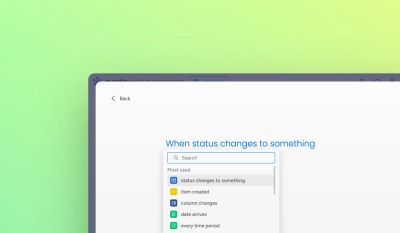
Ops teams run on consistency. A missed SLA, an item routed to the wrong owner, a status that moves without a required field being filled – these are not one-off mistakes. They are process failures that repeat until a system prevents them.
monday.com automation is how high-performing ops teams eliminate those failures: routing tasks to the right person automatically, enforcing SLAs without anyone having to chase, and building guardrails that make the wrong action harder to take than the right one.
This article covers 10 proven patterns used by advanced ops teams – from status-driven ownership handoffs and SLA escalation logic, to cross-board routing and the guardrails that enforce process without relying on training.
1. Status-driven ownership changes
Pattern:
When a status changes, ownership updates automatically.
Example:
- When status changes to “In Review”, assign item to Manager
- When status changes to “Approved”, assign item to Ops
Why it works:
It removes manual handoffs and prevents “Who owns this?” moments.
Limit:
Native automations work well here, but struggle when:
- Ownership depends on multiple conditions
- You need fallback logic, for example assign based on region or workload
2. Auto-move items between boards (process stages)
Pattern:
Each board represents a phase of a process.
Example:
- Intake → Active → Completed boards
- Items move automatically based on status
Why it works:
- Cleaner boards
- Clear lifecycle visibility
- Easier permissions per phase
Limit:
Once you need:
- Conditional mapping
- Field transformations
- Bulk historical moves
native automations become rigid.
3. SLA and deadline enforcement
Pattern:
Automations enforce response times and deadlines.
Example:
- If status hasn’t changed in 48 hours, notify owner
- If due date passes, escalate to manager
Why it works:
Ops teams don’t chase people; systems do.
Limit:
Native automations don’t handle:
- Business hours logic
- Pauses
- Multiple SLA tiers
4. Subitem automation for repeatable work
Pattern:
When an item is created, subitems are created automatically.
Example:
A new onboarding request creates:
- Account setup
- Permissions
- Training
- QA
Why it works:
Consistency without template sprawl.
Limit:
Native automations:
- Can’t conditionally create different subitem sets
- Don’t handle subitem logic well at scale
Enhance your workflows with David Simpson Apps
Discover powerful apps and integrations for monday.com, Atlassian, and Microsoft 365. Streamline processes, embed analytics, and boost collaboration.
Explore apps5. Mirror columns as “read-only contracts”
Pattern:
Mirror columns enforce single sources of truth.
Example:
- Budget lives in Finance board
- Other boards can see it but not edit it
Why it works:
Prevents accidental edits and data drift.
Pro tip:
Pair this with automations that block status changes when required mirrored data is missing, which often requires apps.
6. Conditional notifications (the right message to the right person)
Pattern:
Notifications only fire when conditions truly matter.
Bad:
“Status changed” notifications everywhere.
Good:
- Notify Finance only if budget > £10k
- Notify Legal only if contract type = “Enterprise”
Limit:
Native automations cannot stack complex conditions cleanly. This is one of the first places advanced teams hit friction.
7. Governance and guardrails for scaling teams
Pattern:
Automations prevent incorrect usage.
Examples:
- Block moving to “Done” if required fields are empty
- Auto-revert status if approval not completed
Why it works:
Training doesn’t scale; guardrails do.
Limit:
Native monday.com offers warnings, not enforcement. Apps fill this gap.
8. Bulk and background operations
Pattern:
Automations run behind the scenes at scale.
Examples:
- Mass updates across hundreds of items
- Scheduled cleanup jobs
- Nightly syncs
Reality check:
Native automations are event-driven, not batch-oriented.
If your ops team says:
“We do this once a week manually…”
That is an automation opportunity, and often an app use case.
9. Cross-board and cross-account logic
Pattern:
Processes span multiple teams and boards.
Examples:
- Sales → Delivery → Support
- Parent-child boards with rollups
Why it matters:
Real businesses do not live in one board.
Limit:
Native automations struggle with:
- Deep hierarchies
- Multi-board dependencies
- Complex rollups
10. Auditable, explainable automation
Pattern:
Every automation is predictable and explainable.
Best practices:
- Name automations clearly
- Avoid “magic” logic no one understands
- Prefer fewer, stronger automations over many fragile ones
Why it matters:
Admins inherit systems. Clean automation is a form of documentation.
When native automations aren’t enough
Native monday.com automations are excellent, but they are designed to be simple and safe.
If your team needs:
- Advanced conditions
- Integrations with external systems
- Enforcement, not just warnings
- Bulk actions
- Cross-board intelligence
- Scalable governance
that is where purpose-built monday.com apps come in.
At David Simpson Apps, we build apps specifically to extend monday.com without breaking how teams already work, filling the gaps where native automations stop short.
👉 Explore our apps in the monday.com Marketplace to see how advanced teams automate at scale.
Final thought
The best monday.com setups don’t feel automated.
They feel effortless.
If your team is still:
- Manually checking statuses
- Chasing owners
- Cleaning boards every Friday
You are not undertrained; you are under-automated.
And that is fixable.
Part of The complete guide to monday.com automations.
Automate your workflows with David Simpson Apps
Discover powerful apps and integrations for monday.com, Microsoft 365 and more. Streamline processes, embed analytics, and boost collaboration.
View our apps on the monday marketplace