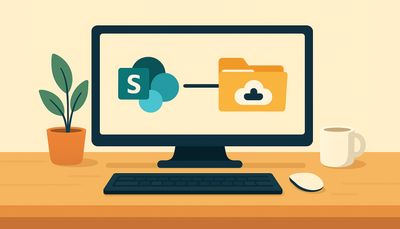
Yes, in theory, SharePoint can function similarly to a traditional network drive for file storage, though there are important considerations regarding its suitability for different use cases.
✅ Pros of using SharePoint like a network drive
Cloud Accessibility
- Files are accessible from anywhere with an internet connection.
- Supports remote and hybrid work environments.
Version Control
- Automatically tracks changes and allows you to restore previous versions of documents.
Collaboration Features
- Multiple users can co-author documents in real time.
- Integration with Microsoft 365 apps (Word, Excel, Teams, etc.).
Permissions and Security
- Granular control over who can view or edit files.
- Built-in compliance and data loss prevention tools.
Search and Metadata
- Powerful search capabilities.
- You can tag files with metadata for better organization and retrieval.
No VPN Required
- Unlike traditional network drives, SharePoint doesn’t require a VPN to access files remotely.
❌ Cons and limitations of using SharePoint like a network drive
Syncing Issues
- Using OneDrive to sync SharePoint libraries can lead to sync conflicts or errors, especially with large libraries and multiple users.
File Path Length Limits
- SharePoint has a URL path length limit (around 400 characters), which can cause issues with deeply nested folders.
Performance with Large Files
- Uploading or opening very large files (e.g., CAD files, videos) can be slower than on a local network drive.
Offline Access
- Offline access is possible but limited to synced files only.
User Training Required
- Users may need training to understand how SharePoint differs from traditional file shares.
Not Ideal for All File Types
- Some legacy applications or workflows may not work well with SharePoint-hosted files.
🛠️ Best practices if you go this route
While it is possible to use SharePoint like a network drive, it is very important to understand the limitations of doing this to prevent data loss and improve your business efficiency.
- Use OneDrive sync for libraries that need frequent offline access.
- Avoid deep folder structures to prevent path length issues.
- Educate users on check-in/check-out, versioning, and collaboration features.
Using monday.com and SharePoint together?
The Microsoft 365 SharePoint integration for monday.com lets your team manage SharePoint files, sync Excel data, generate documents, and embed Microsoft 365 views — all inside monday.com, with full M365 permissions. Free for up to 2 users.
Start free →This article is part of our SharePoint document management guide.