We're delighted that you've chosen to get started with Microsoft Power BI in Confluence.
This page will give you an overview of this app’s functionality.
Prerequisites
- A subscription to a supported Microsoft Power BI plan, such as Power BI Pro.
Installation
- Simply install the app from the Atlassian marketplace and then you are ready to go.
Usage
In Microsoft Power BI
- Select the report
- In the File menu, select Embed report, then Website or portal
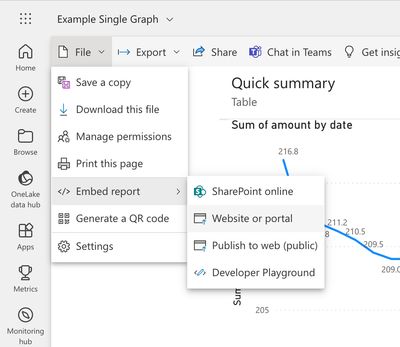
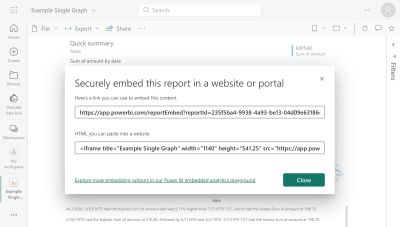
Once the URL has been copied, move to Confluence
In Confluence
Embed using the report/dashboard URL
- **Edit **a Confluence page
- Paste the URL into the Confluence editor If needed, change the width and height of the macro
- Publish the Confluence page
Embed using the macro editor
- Edit the Confluence page
- Type /powerbi and hit enter
- Add the embed URL and if needed, change the width and height of the macro
- Publish the Confluence page