A hard refresh clears your browser cache for a specific page, which forces it to load the most recent version of that page. This could include new scripts, styles or features.
In common browsers
Google Chrome/Microsoft Edge
Windows users: hold down Ctrl and then press F5 on your keyboard
Mac users: hold down Cmd and Shift and then press R on your keyboard
Firefox
For Windows users: hold down Ctrl and then press F5 on your keyboard
Mac users: hold down ⌘ Cmd and ⇧ Shift and then press R on your keyboard
Safari (Mac)
Go to Safari > Empty Cache, or hit Opt + Cmd + E
To refresh, click the refresh button on the address bar or press Cmd + R
What is not a hard refresh?
Pressing the reload button in your browser address bar is not a hard refresh:
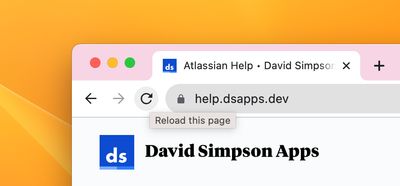
"Reload this page" is not a hard refresh
Pressing the reload button will not empty your browser cache for the specific page.