From time to time, apps are updated in a way that cannot be automatically done in the background.
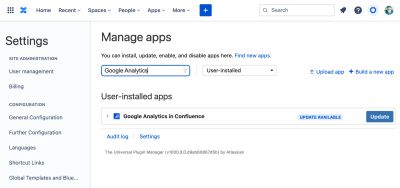
When this happens, the Manage apps page will let you know with a UPDATE AVAILABLE status next to the app.
Navigate to the "Manage Apps" page
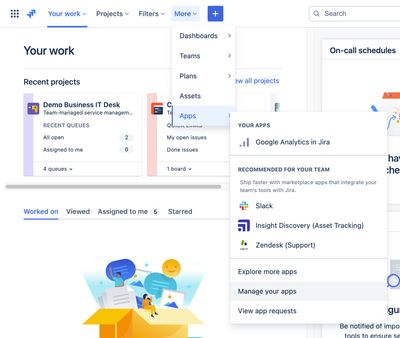
In Jira, from the Apps menu in the top navigation bar, select Manage your apps.
Sometimes, the Apps menu is hidden in a More menu item:
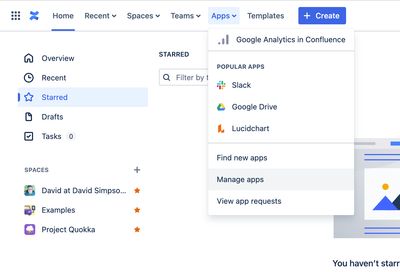
In Confluence, from the Apps menu in the top navigation bar, select Manage apps:
Update the app
Once on the Manage apps page, look at the User-installed apps.
If the list of apps is long, you can filter on the name of the app e.g. "Google Analytics in Confluence"
If the app has an UPDATE AVAILABLE status next to it, click on the Update button and the app will be updated to the latest version: