Fields fail to populate
Ongoing monday.com incident Since 2026-08-12 Acknowledged by monday.com
Symptoms
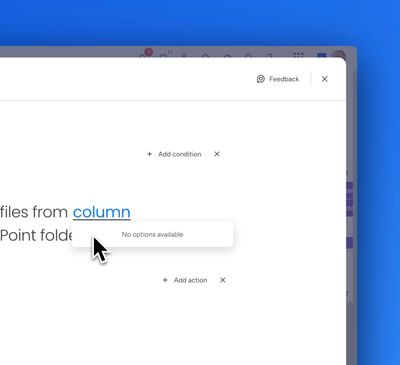
When fields in the automation engine fail to load, you will see the following message rather than the expected behaviour:
No options available
Workarounds
There are a number of workarounds reported to solve the problem.
Workaround 1
For trigger blocks: Delete the trigger and add it again.
For action blocks: Simply interact with the preceding trigger (like clicking the Status dropdown if using the trigger "When item status changes"). This should immediately fix the problem.
If the problem persists, continue with workaround 2.
Workaround 2
- Delete the problem automation block
- Add the same block back again
Video showing the workaround 2:
If the problem persists, continue with workaround 3.
Workaround 3
- Delete the problem automation block
- Restart your browser
- Add the same block back again
Contact monday.com support
If the problem affects you, contact support@monday.com so that they are aware of the bug in their automation engine. Every account that submits a support ticket adds more weight to the evidence needed to get this problem solved.