The monday.com apps framework runs code in an iframe on a different domain. Safari's Prevent cross-site tracking setting blocks iframes from accessing third-party content, which prevents apps from signing in and displaying data.
Option 1: Use an alternative browser
Switch to a browser supported by monday.com:
- Mozilla Firefox
- Microsoft Edge
- Google Chrome
Option 2: Adjust Safari Privacy Settings
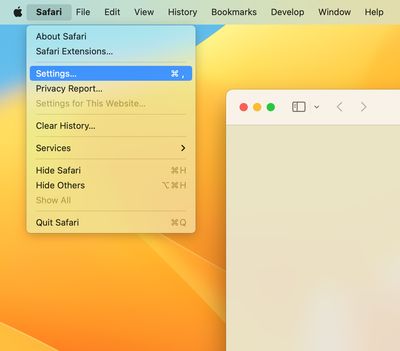
Open Safari and select Settings… (or press ⌘ + ,).
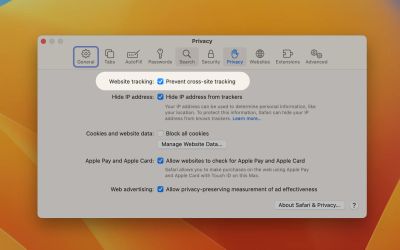
Navigate to the Privacy tab.
Uncheck Website tracking: Prevent cross-site tracking.
Reload the page.