Some integrations require third-party cookies to work correctly. Here is how to allow them in common browsers.
Google Chrome
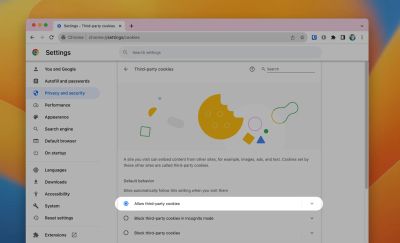
- Navigate to
chrome://settings/cookiesin the address bar. - Select Allow third-party cookies under Default Behavior.
Microsoft Edge
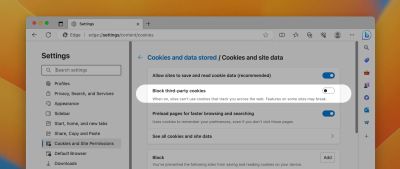
- Navigate to
edge://settings/content/cookiesin the address bar. - Ensure Block third-party cookies is deselected.