Since 2026-11-04 v2.152.0
This board view turns a standard monday.com board into a service desk, powered by your Outlook email inbox.
Once you've connected your email address (personal, shared inbox or Microsoft 365 Group email address) to the board, it imports emails as new items, displaying email contents within item updates.
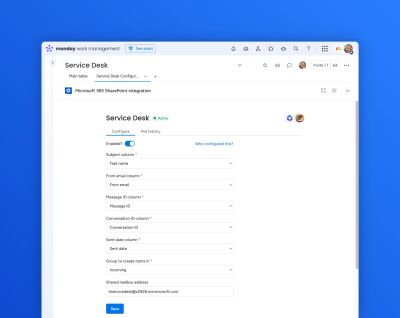
Replies to any original emails are matched by the email conversation ID and added as further updates to the original item.
Further, by adding the Outlook email item view to the board "squares the circle", allowing emails and replies to take place within monday.com.
Using a shared mailbox
When replying from a shared mailbox, make sure your Microsoft 365 administrator has turned on saving sent items for that mailbox. Otherwise, replies are only saved in the sender's own Sent Items, and won't be added to the item as updates – see Replies sent from a shared mailbox are missing.