Every time period, export board data to an Excel spreadsheet stored in SharePoint.
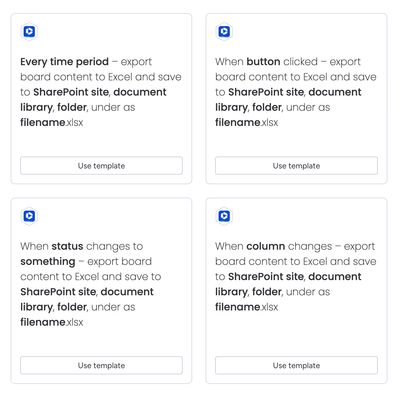
Triggers
- When status changes to something
- When column changes
- Every time period
- When button clicked
Output structure
The spreadsheet contains 2 worksheets:
- Board Items — includes Item ID and Group Name columns
- Subitems — includes Parent ID, Parent Name, Item ID, and Group Name columns
Basic templating for filename field
The filename field in the recipe sentence will take templated values as follows:
Adding {Board.Name} ({Board.ID}) as the filename for a board named My Board with ID of 12345 will result in a file saved as My Board (12345).xlsx.
File creation / updating
If the target spreadsheet is already present, a new spreadsheet will replace the existing file in SharePoint. Previous versions of the file will be available to view in the file history in Microsoft 365.
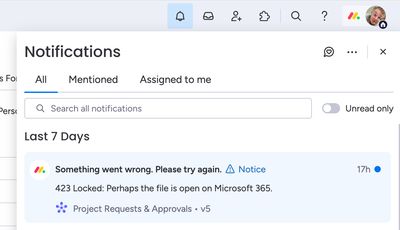
If the target spreadsheet is open in Excel, then the automation will gracefully fail with a notification message explaining the error. Notifications can be accessed from the top menu.
How the automation works
Here’s a walkthrough video to show how the automation works: