Quickly builds folder and file structures based on your own folder and file templates.
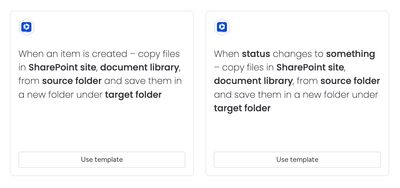
These automation recipes enable users to establish consistent folder structures for recurring work and store monday.com item-related files in preconfigured SharePoint locations.
Triggers
The automations activate through:
- Item creation in a board
- Status change to something in a board item
When either of these changes has been triggered, the app will copy the files in a SharePoint site, document library, from a source folder to generate a new folder under a target folder.
The automations work with the Secure Embed item view feature; the Secure Embed is automatically configured after successful execution.
How the automation works
Here’s a walkthrough video to show how the automation feature works:
This automation runs in a non-destructive manner. If an automation has already been run, and a folder has already been configured for the item, it will not change anything — no new folder will be created or configured for the item.
If another folder already exists with the same name, it will create a new folder with the name
Item Name (Item ID) Number(whereNumberis a number starting at 1).
Use cases
- Project management documents
- Case management documents
- HR processes (Recruitment documents)
- Real estate sales documents
- Processes & certifications (APQC, ISO 9001, SOC2, Investors in People, ITIL)