This workflow block sends emails from Outlook and allows for the use of Cc & Bcc fields within an automation — something not present in the native Outlook send email automation block.
How it works
For automations
For automations, in the "then" automation block, search for "Send email with Outlook".
Then authorise with Microsoft 365, and fill out the email section.
Top tip: Pressing enter inside the Body field will cause it to become a multi-line input field.
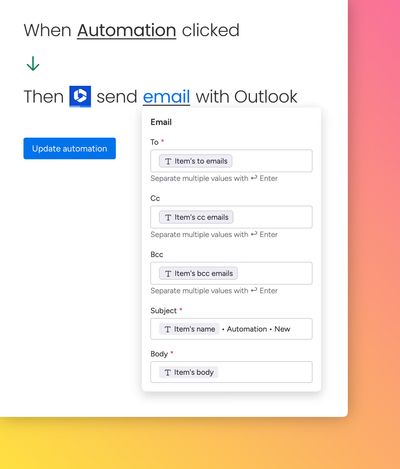
This block supports HTML formatting for email.
For workflows
Here’s a walkthrough video to show how the workflow feature works: