When something happens, move the configured SharePoint folder for each {linked item} to {this path} within the configured SharePoint folder for this item.
Prerequisites
The configured folder must have been created by either:
Example use case
In a CRM workflow, there may be a configured SharePoint folder for each deal, and also one for each project. When a deal is won, the SharePoint folder for the deal can then be moved into the new folder created for the linked project, but each of these folders will remain accessible from within their respective boards.
Automation recipes
No automation recipes are supplied for this automation. You simply create your own custom automation recipe by clicking on the + Add automation button in Automation center.
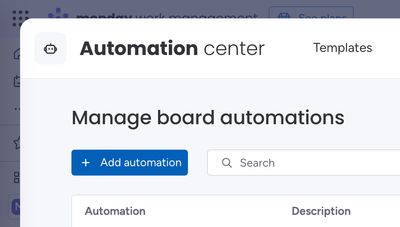
This allows you maximum flexibility to move the folder as required.
How the automations work
Here’s a walkthrough video to show how the automation works:
Automating CRM workflows: Moving deal folders to projects
In the example from the above video, we showed you an automation process for CRM systems that handles deal-to-project transitions, including folder management in SharePoint.
The existing setup
Deals board
- For each item in the Deals board, We have a folder configured in SharePoint to store
- Example deals are visible in our Deals board
Projects board
- Whenever a deal is won, an item is automatically created in the Projects board
- A corresponding folder is also created in SharePoint for each new project (or item in the Projects board).
The automation process
Stage change trigger
We've set up an automation that:
- Triggers when a deal's stage changes to "Won"
- Creates a corresponding item in the Projects board
Connects the two boards/items together
Enhancing file accessibility
The challenge
While the current system works, we want to:
- Access deal files directly from the project/item in the Projects board
- Maintain organization while keeping files connected
The solution: Folder moving automation
We've created a button-triggered automation that:
- Moves the configured SharePoint folder for the connected item in the Deals board
- Places it in a
/Dealssubfolder within the project folder - Maintains all existing connections
Automation details:
- Trigger: "Move Deal Folder" button click
- Action: Moves the configured SharePoint folder for each connected item
- Destination:
/Dealswithin the configured SharePoint folder for the item in the Projects board
Demonstration
When we click the "Move Deal Folder" button in projects:
- The automation runs
- The folder moves from its original location to:
- A
/Dealssubfolder in the projects directory
- A
- The files remain:
- Accessible in their original location in the Deals board
- Available within the new projects subfolder
Benefits
- Maintains workflow organization
- Keeps all files connected across boards
- Allows access to deal documents from Projects board items
- Preserves original access to the deal files in the Deals board while adding new access points