When embedding files from Microsoft 365 in external websites and apps such as monday.com, additional configuration on Microsoft 365 may be required.
Your Microsoft 365 administrator can limit the sites where embedding is allowed or disable embedding entirely. If your embedded view doesn't load, check with your administrator to make sure that the site where you have embedded it is on the embedding allow list.
How to check if additional configuration is required
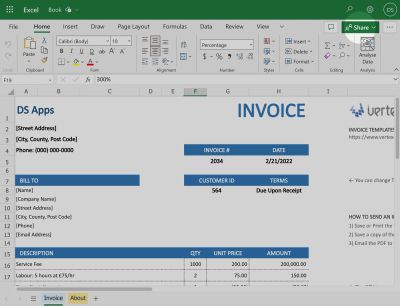
When you share a Microsoft 365 file using the Share button:
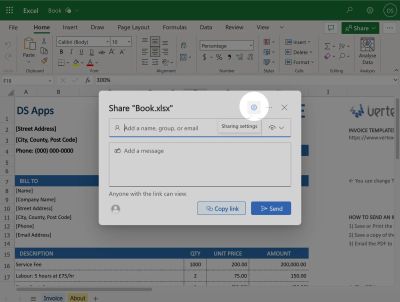
Then press the Sharing settings icon:
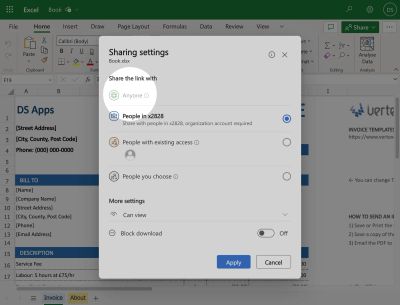
If Share the link with Anyone is greyed out, further configuration is required.
Domain whitelisting
This video shows how to enable embedding in monday.com using the Microsoft 365 SharePoint integration:
From office.com, a Microsoft 365 administrator can select the Admin link from the left hand menu, then follow the directions in the video.
Your Microsoft 365 administrator can whitelist the domain for the Microsoft 365 Embedded app. The domains to whitelist are:
*-service-11749326-fd79debb.au.monday.app
*-service-11749326-fd79debb.eu.monday.app
*-service-11749326-fd79debb.us.monday.app
Add a single domain per line. These domains are where the monday.com app is hosted.
As the app is hosted on monday-code, we cannot specify an exact domain name — it changes on every new release.