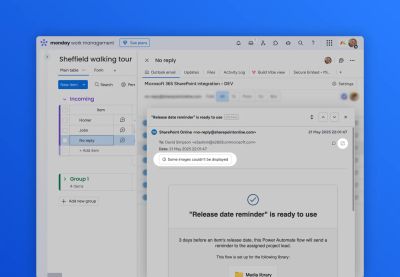
Sometimes when using the Outlook Email item view, you will see a message:
Some images couldn't be displayed
...as shown in the screenshot below:
There are a number of reasons that images cannot be displayed.
- For security reasons the app blocks external images, such as analytics tracking pixels
- Some images may have been corrupted by the original email program which sent the email
In these cases, we recommend viewing the email in the browser-based Outlook email client.
A link to open Outlook is highlighted in the image above.