This is a powerful automation to build out a complete folder structure in a SharePoint site whenever a new board is created from a template:
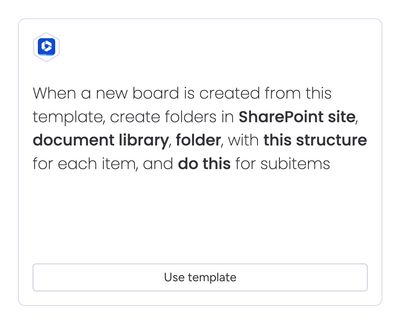
When a new board is created from this template, create folders in SharePoint site, document library, folder, with this structure for each item, and do this for subitems
The structure of the folders in SharePoint will be based on whatever is added to the this structure field in the recipe sentence.
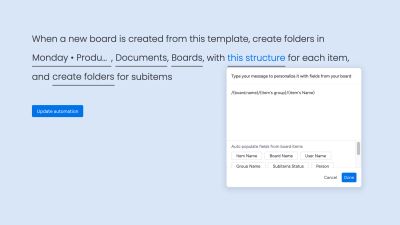
In the example above, /{board.name}/{item's group}/{item's Name}/ will create a 3-level folder structure in SharePoint.
Note that the sentence contains “and create folders for subitems”:
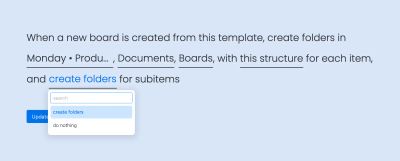
If any subitems are present, folders based on the name of the subitem will be created within the folder for the item, producing a 4-level folder structure:
/{board.name}/{item's group}/{item's Name}/{subitem's Name}/
In all instances, the items will have a configuration saved so that a Secure Embed view can be added to items and subitems and they will be automatically configured to display the correct folder in SharePoint.
Recommended usage
We recommend triggering this automation from another automation rather than using the template directly. Manually creating an item from a template will create a board with exactly the same name as the template, and if applied manually, the automation will attempt to create folders in the exact same location every single time.
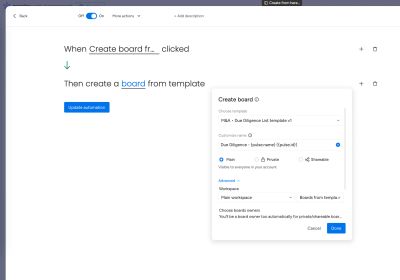
Instead:
- Trigger the automation using a button or a status change on a source board
- In the action "create a board from template", customise the name to be based on the item name in the source board
- If the item name is not likely to be unique, base the name for the new board on the item name and the item ID — this combination will always be unique